Simplifying workspace setup to accelerate customer onboarding.
I led the design of Stage Customization at DevRev, an AI-native platform that unifies customer support, product management, and software development into a single workspace. Stage customization made workspace setup easier and significantly improved onboarding efficiency for new customers.
Before stage customization was introduced, the old setup gave every team the same fixed object stages, whether or not that matched how they actually worked. With this feature, we enabled the teams to fully customize their stages. So when companies replaced Jira for DevRev, they could set up their workflows like before, right from day one.
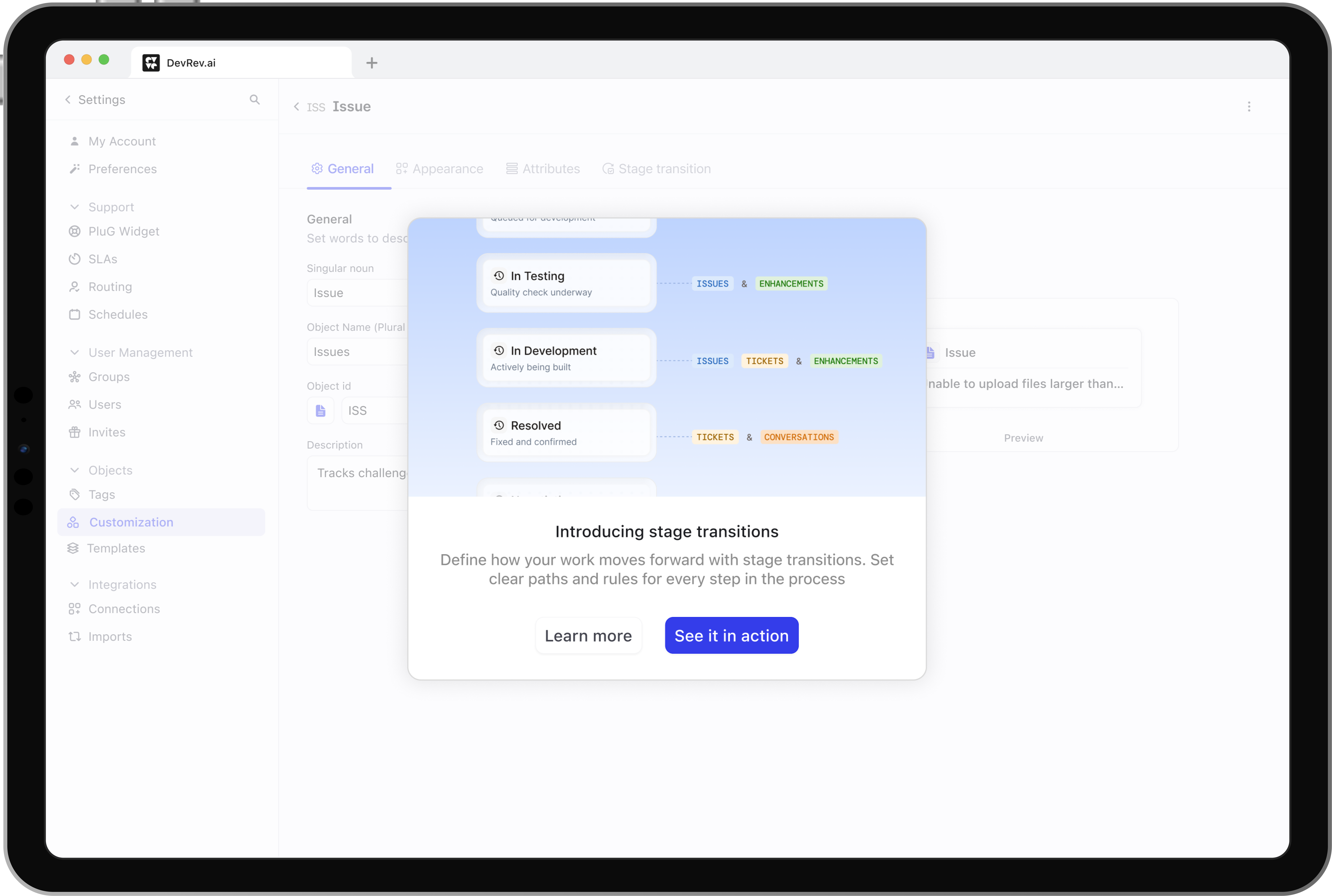
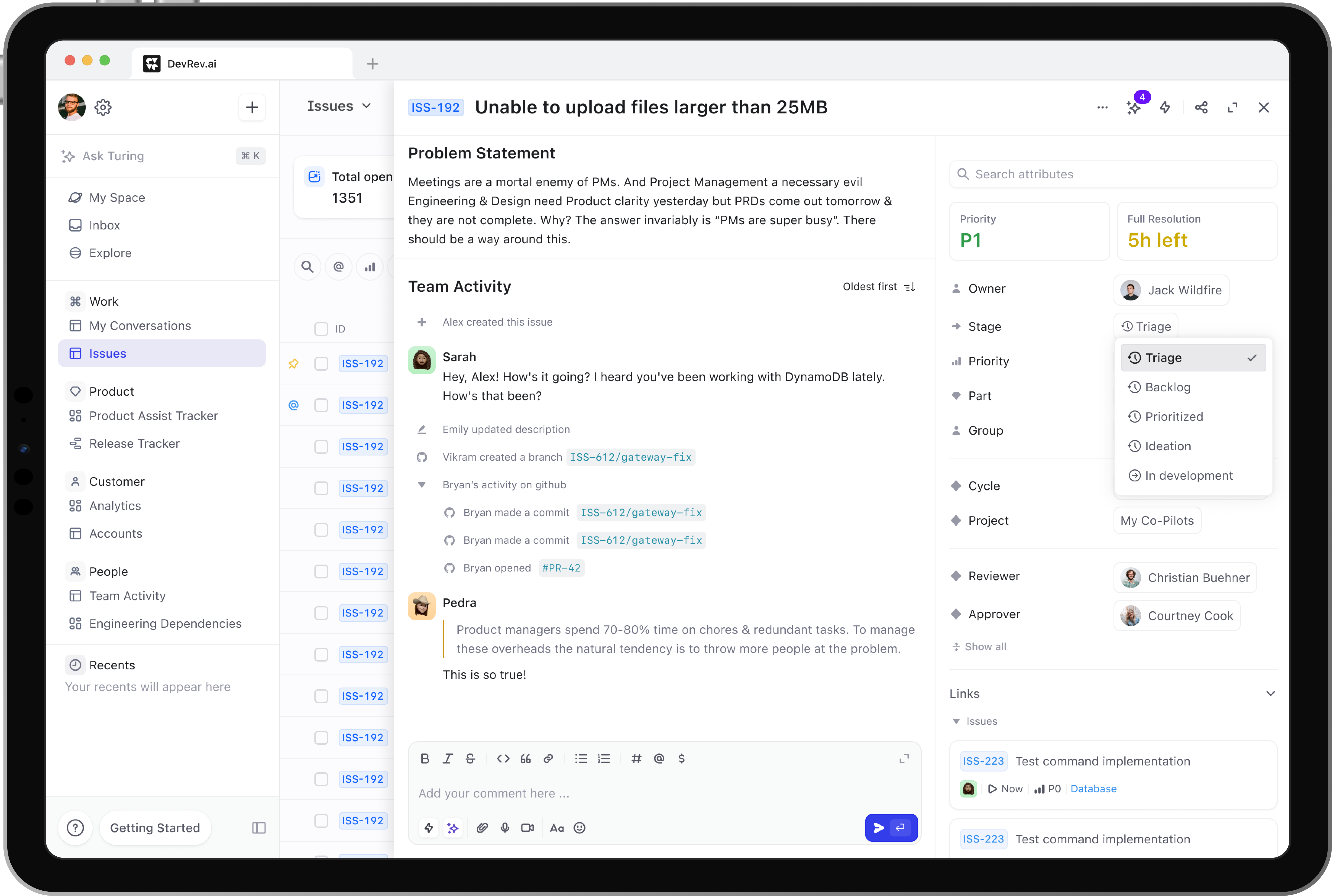
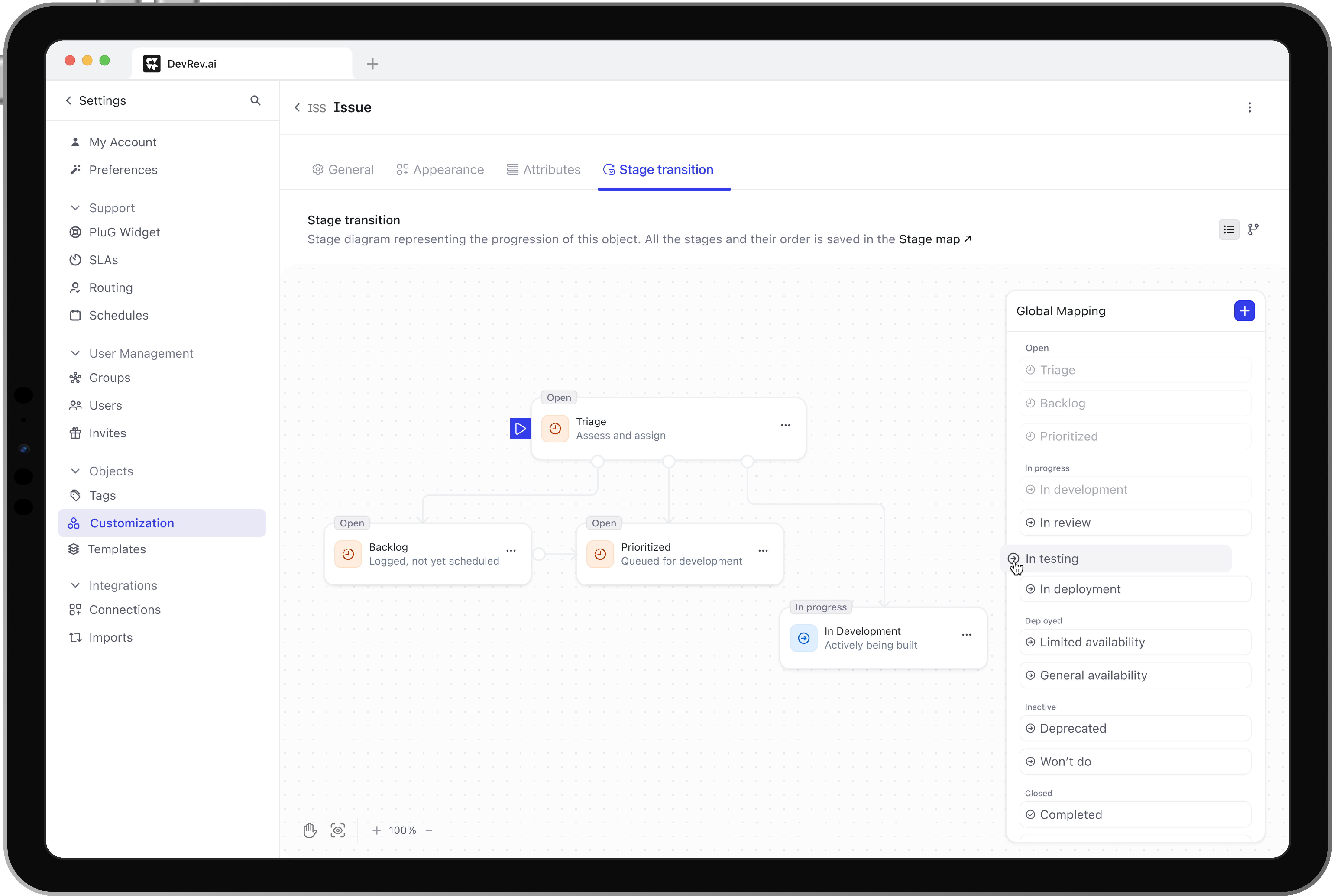
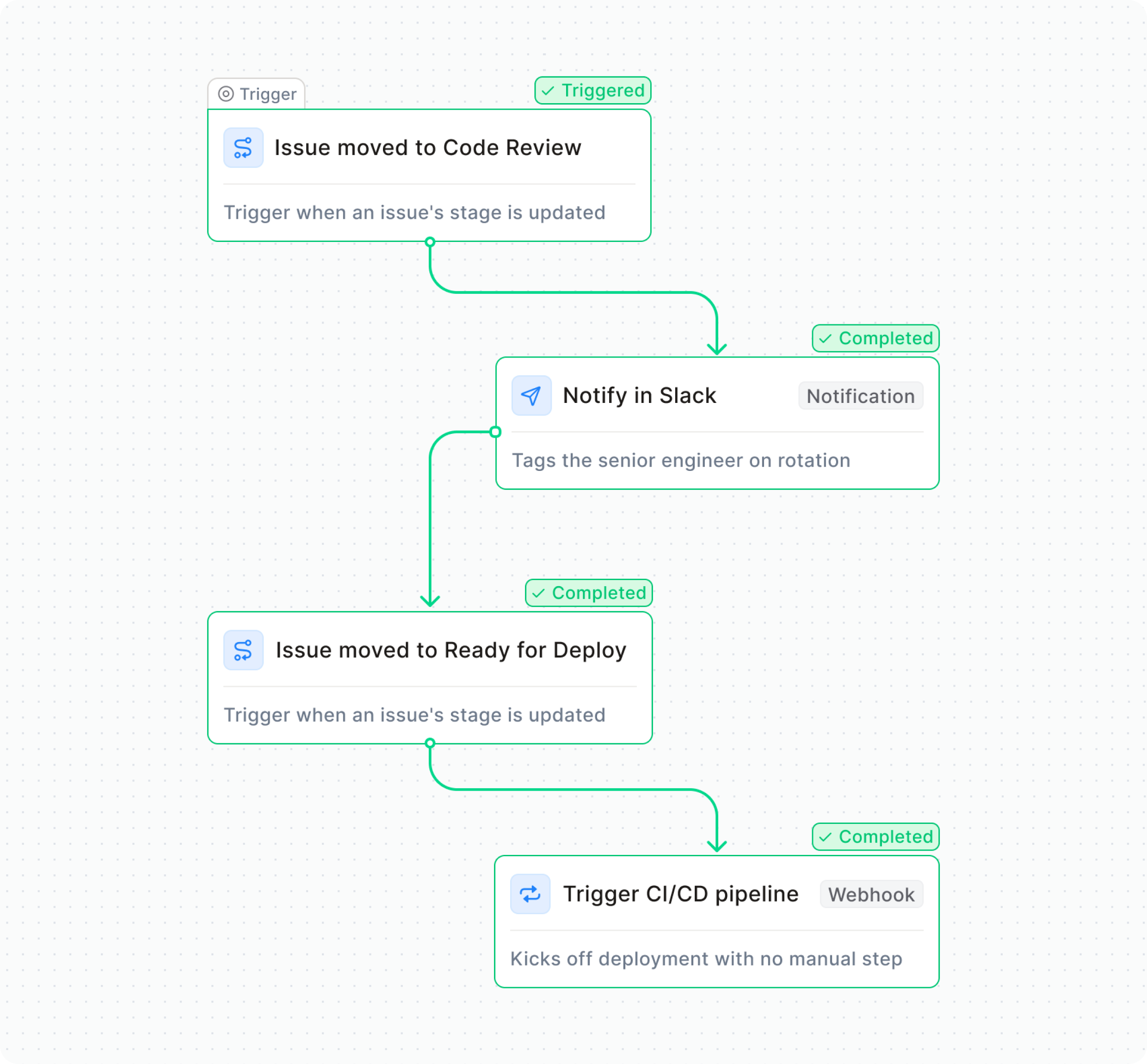
A "stage" is simply a step in a team's workflow: the checkpoint an issue or ticket moves through as work gets done. For instance, an engineering team's workflow might have stages like "Code Review" followed by "Ready for Deploy."
Every company names and orders these stages differently based on how their team actually works (some copied their exact setup from their previous tooling system). As a result, each customer needed the flexibility to configure stages that matched their own process. A fixed set of stages that DevRev provided wouldn't work for everyone, as it could fail to reflect how their teams actually worked.
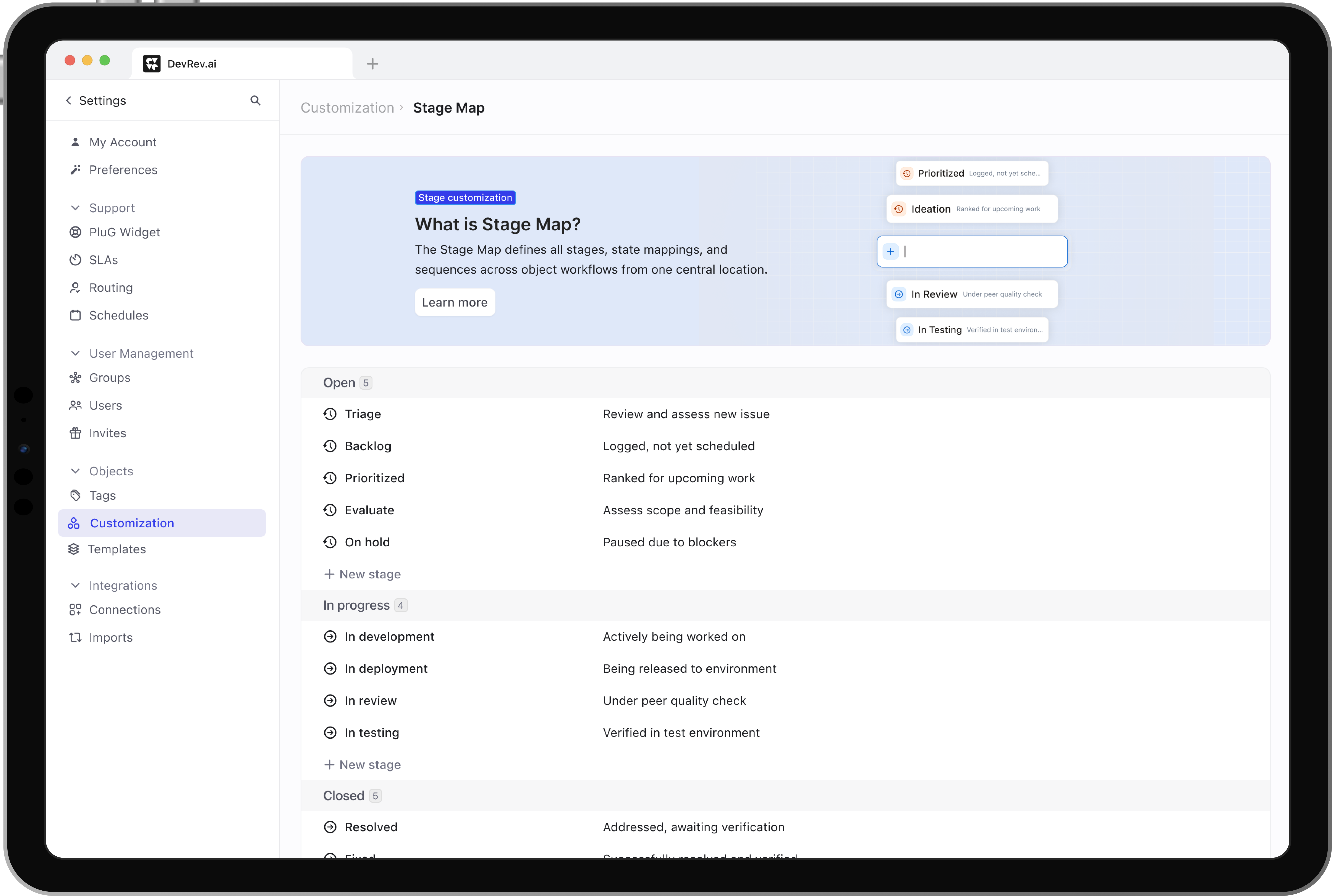
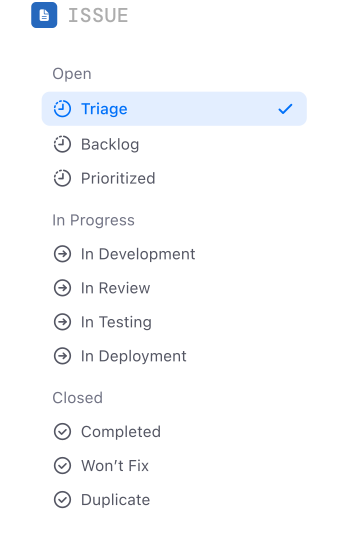
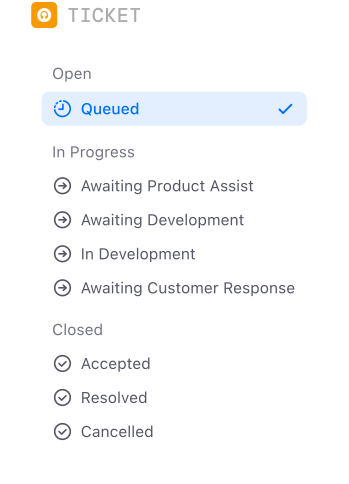
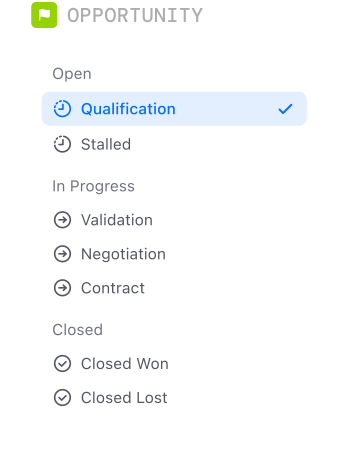
DevRev provides set of default stages, designed to cover the core objects: Issues, Tickets, and Opportunities.
Why it mattered?
The clearest sign of why this mattered were numerous support tickets (~45 every quarter) and stalled deals (worth ~2M). Support Engineers had to manually wire the environment for each of these customers individually.
One enterprise account, mid-migration from Jira, had automations wired to stage names like "Code Review" and "Ready for Deploy" that didn't exist in our defaults. Their engineering team couldn't verify those automations would survive the move, so their VP put the deal on hold. That pattern repeated: teams weren't churning because a feature was missing. They were stalling because they couldn't de-risk the switch before committing.
What they needed wasn't more defaults. It was customization: the freedom to shape stages, names, and transitions around the process they already had, instead of conforming to ours.
Migrating from Jira or Linear broke automations built around stages that were missing in DevRev.
Challenges & how I solved them
No to little PM support. Operating without a dedicated PM, I stepped up to lead discovery and ideation. I drove active cross-functional collaboration with engineering and engaged directly with the leadership team to align on strategy, navigate trade-offs, and lock in key decisions for the MVP.
Speed was non-negotiable. We shipped an initial "Unblocking" release to a smaller customer group within a single two-week sprint, using it to validate the feature's viability and gather real feedback before committing to the full build.
Legacy constraints: The initial decisions around stages couldn't be disrupted (a shared schema of stages across all objects), which meant designing within existing structural limitations, not around them.
IA decision
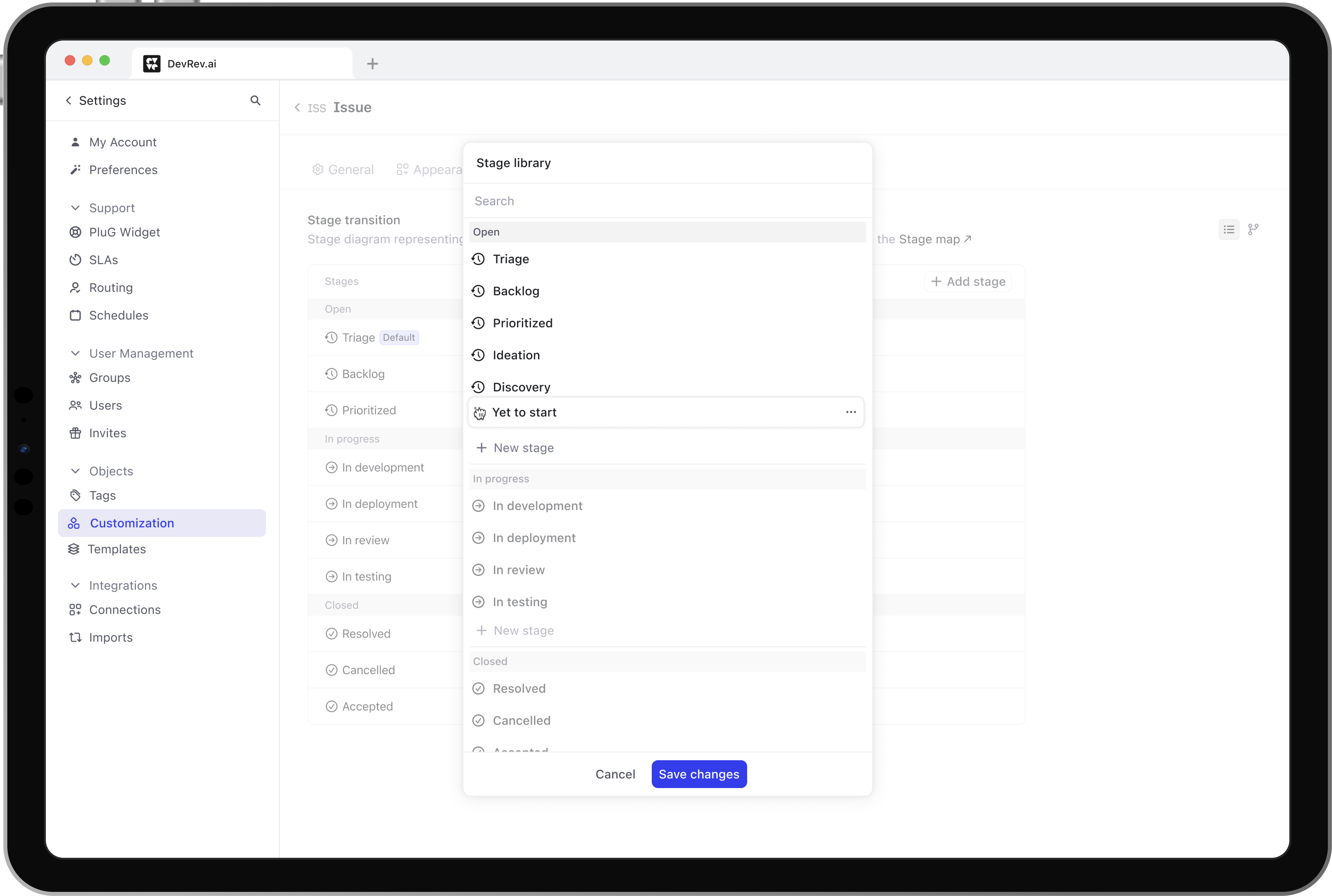
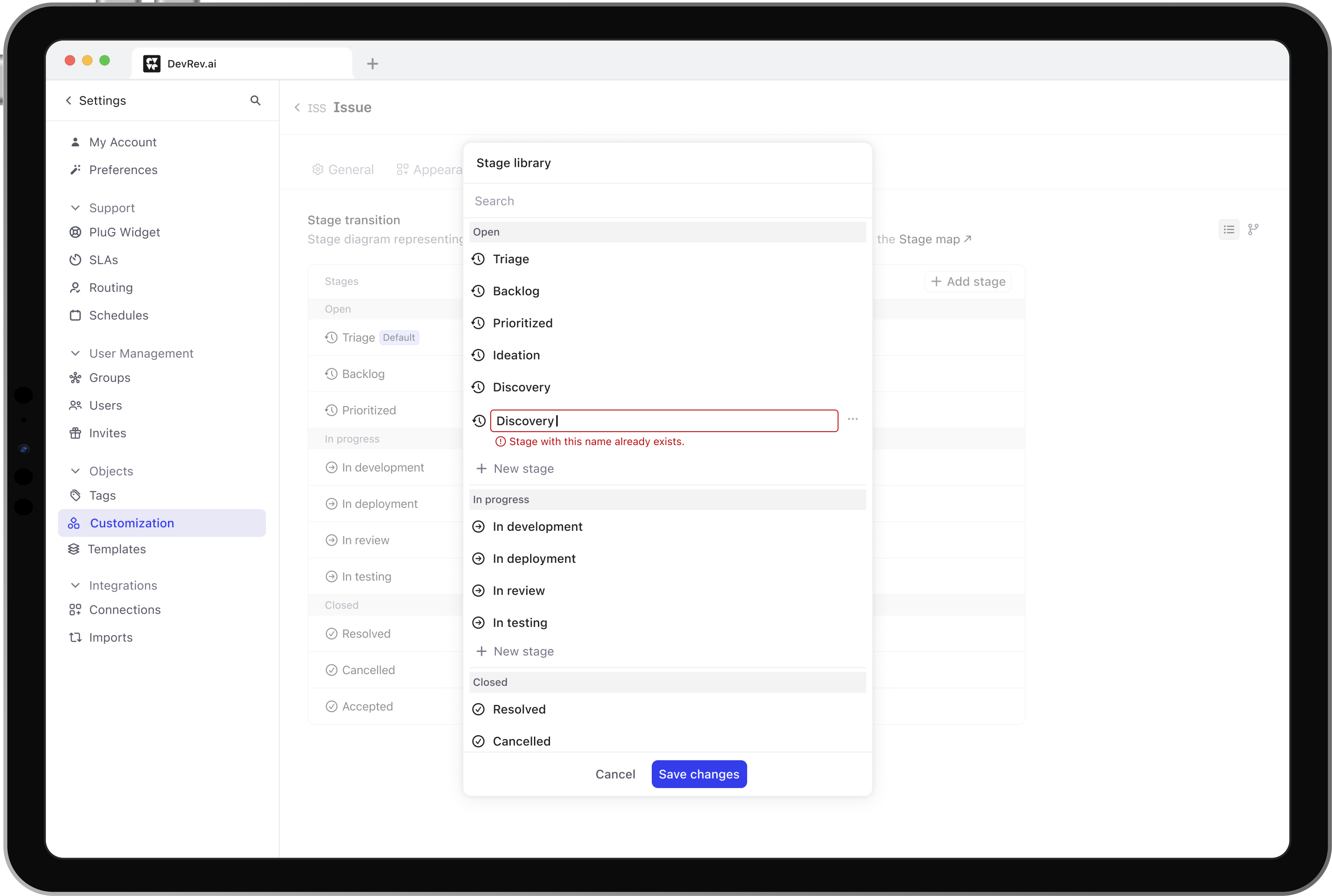
Stage customization was separate from Object customization, which was working against the user flow of setting up objects. So we had to redefine the architecture. Another question was where will the Stage library (a shared schema of stages across all objects) live? It couldn't belong to any single object, but it needed to be reachable from every object. We explored four options before landing on one.
Image coming soon
The stage library is a setup tool and was accessed frequently. But it sat too far from the objects it served.
The visual approach
Once the architecture was finalized, we had a second decision to make: what should the visual approach for stage configuration be?
Loading…
What did we ship?
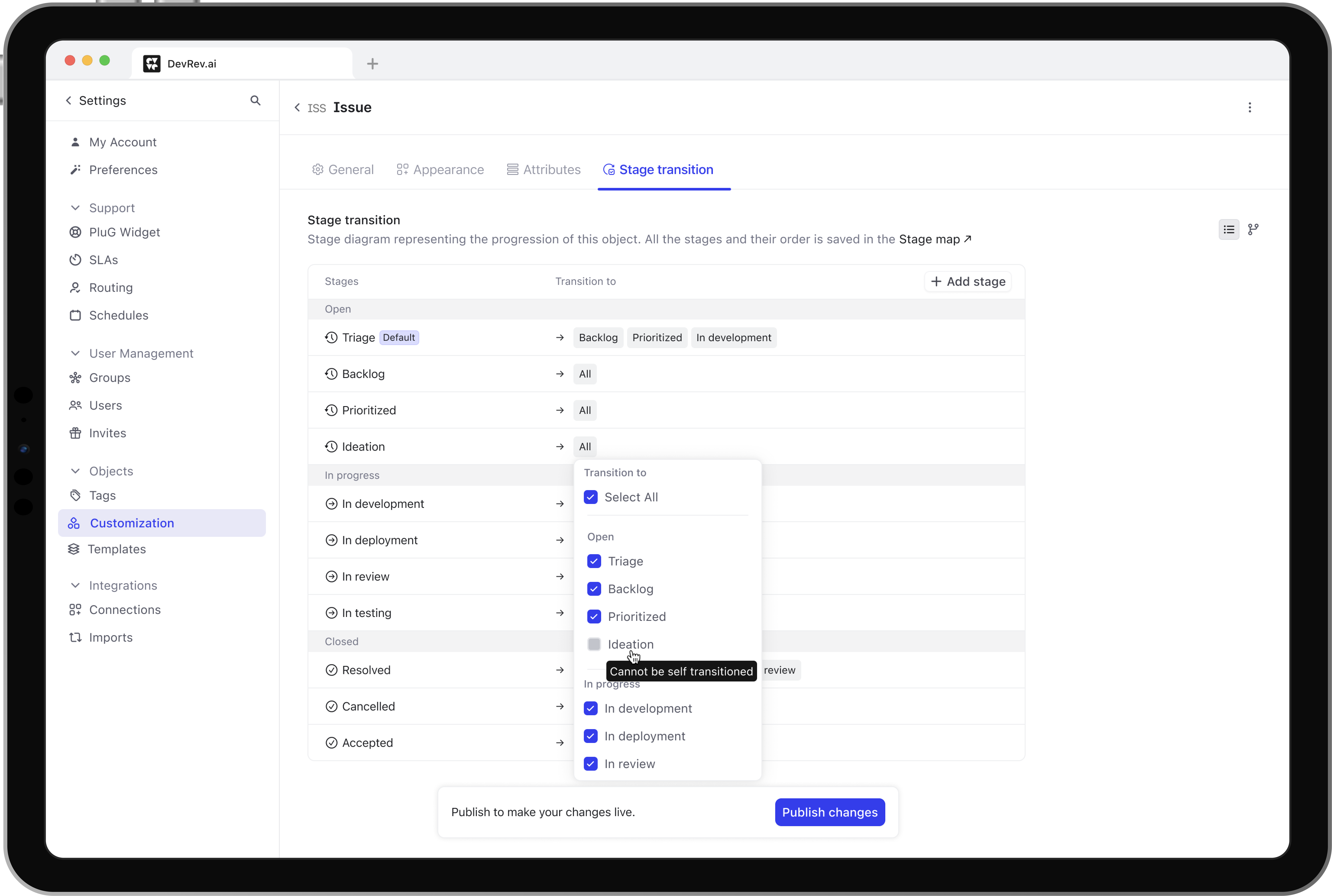
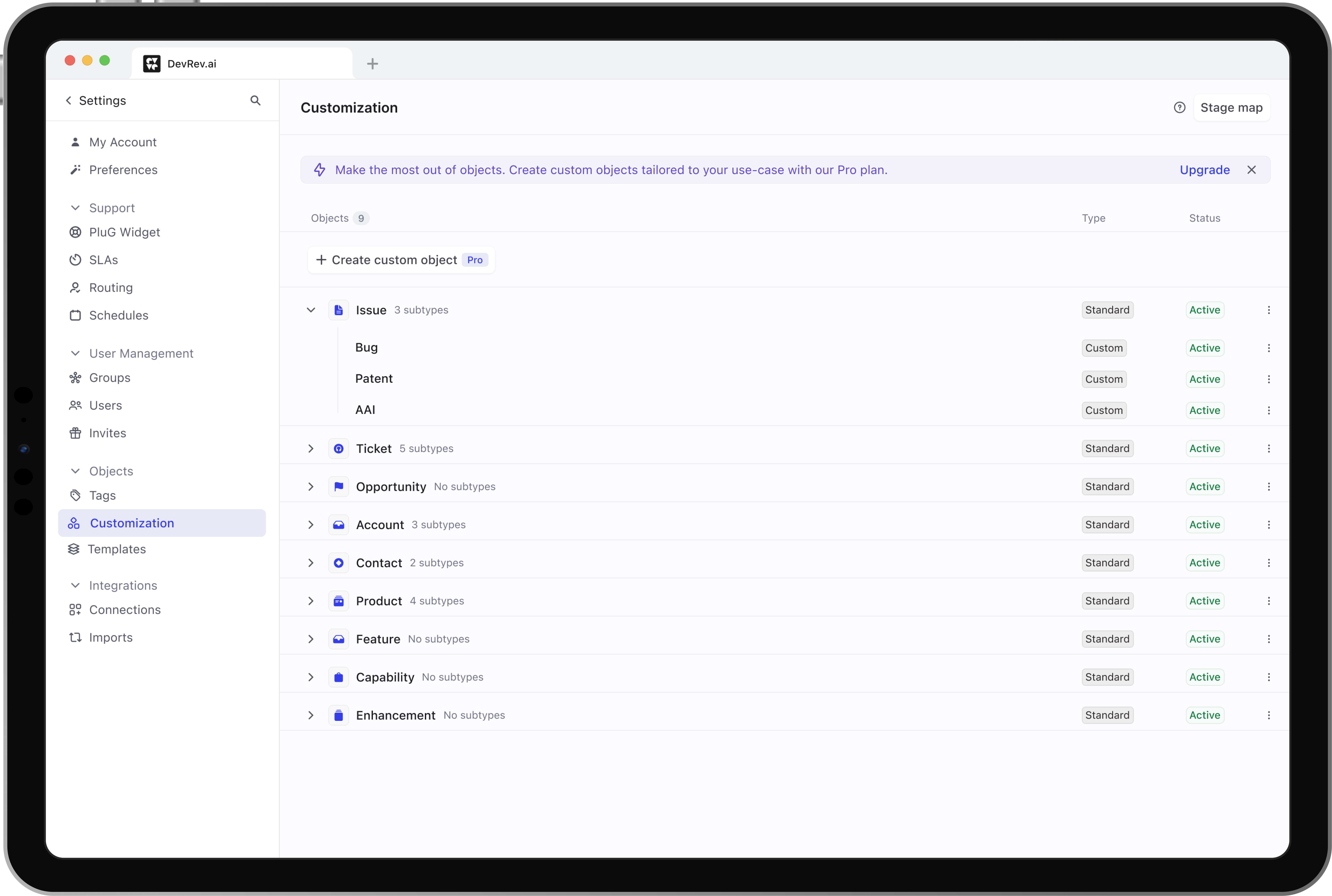
Working within the constraints, we landed on a solution that didn't require a system overhaul: instead of building a separate interface for stage management, we folded stage customization directly into object configuration, giving users one clear mental model instead of two disconnected ones.
Inline stage creation, smart defaults, and simplified rules meant teams could shape the tool around their existing process on the UI without waiting for engineers.
With the new architecture of Object customization, it was set up for a more flexible framework for future features.
Smart defaults that minimized steps and made adding stages effortless.
Brought the stage map into context, letting users rearrange stages within their workflow.
Impact
Faster configuration, fewer dependencies. Configuring an object and its stages used to mean three separate screens. Now it's one inline action.
Less manual intervention, more self-serve. Support tickets tied to stage workflows dropped 43%, the same signal that first flagged this as a real problem.
Deals that were stalled, now moving. ~$2M in revenue unblocked from deals that had stalled specifically over stage customization.
To know more, drop an email:
durgavitankar.design@gmail.com
Click to copy